Management Console
Branch
The branch for development of the management console is "management-console" Parts of it are already on master. Most of the development is on the branch
As of February 2023, the management console entry points are disabled by default. Hence it is not reachable by default in production.
Design Calls
Multiple design calls where held to discuss and plan the implementation of the management console.
See https://static.sapsailing.com/management-console/ to access these folders, you might require ssh access. Any link directly pointing to a file should be publicly available.
These include discussions of the overall design philosophy, as well as more operational decisions regarding specific features of the management-console.
Design References
To ensure a seamless user experience design documents where created in advance, as well as in parallel, to development. Not all functions the current admin console is capable of were able to be covered due to budget constraints. The design documents do however provide a foundation for overall UX, layout and style of the new management console and were used as such in early development.
Login
Displays designs displaying the login pages for the management-console. The View is already implemented. Overall Authorization and related event propagation is missing.
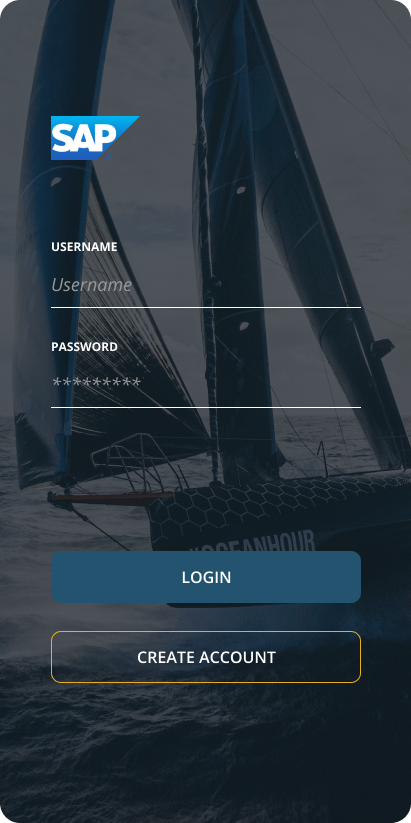 See https://static.sapsailing.com/management-console/login for a full list of designs.
Event
Displays various designs regarding to displaying an event, creating an event and altering an event. Most of these designs have already been implemented on branch management-console.
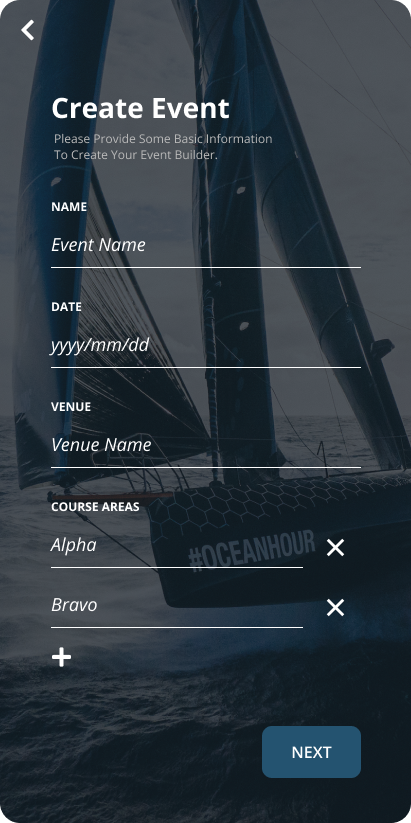 See https://static.sapsailing.com/management-console/event for a full list of designs.
Regatta
Displays a Wizard leading through the creation of a Regatta.
There are no Designs specific to displaying a Regatta. Implementation should be based on the respective designs for Events.
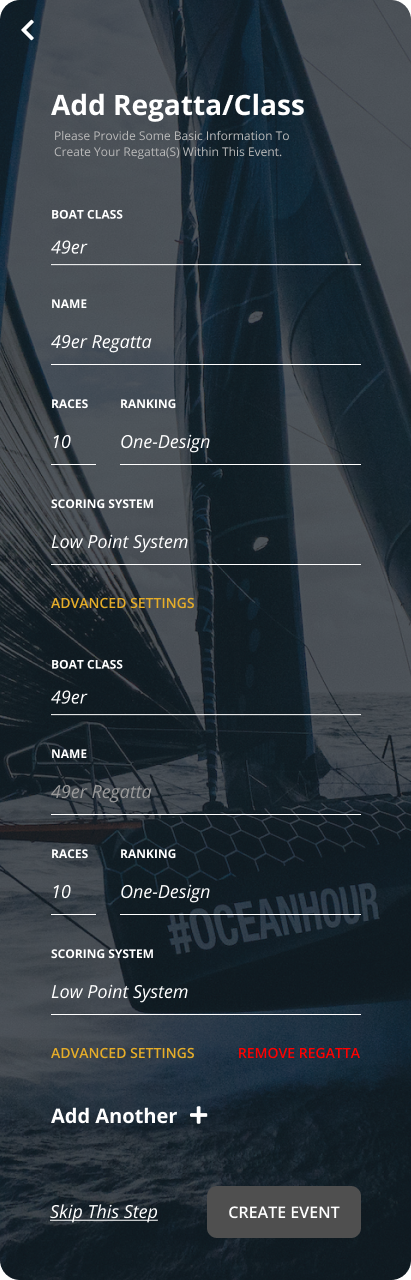 See https://static.sapsailing.com/management-console/regatta for a full list of designs.
Audio- / Video Upload
Displays the process of uploading audio and video content to be attached to specific events.
As reference, these features are currently available on live:
- In AdminConsole under events->edit/"Images/Video"
- In Home under events->event->media (example: https://dev.sapsailing.com/gwt/Home.html#/multiregatta/media/:eventId=bf84c3c0-2235-4c28-b6a2-ec15a87c7111))
- In RaceBoard under Manage Media
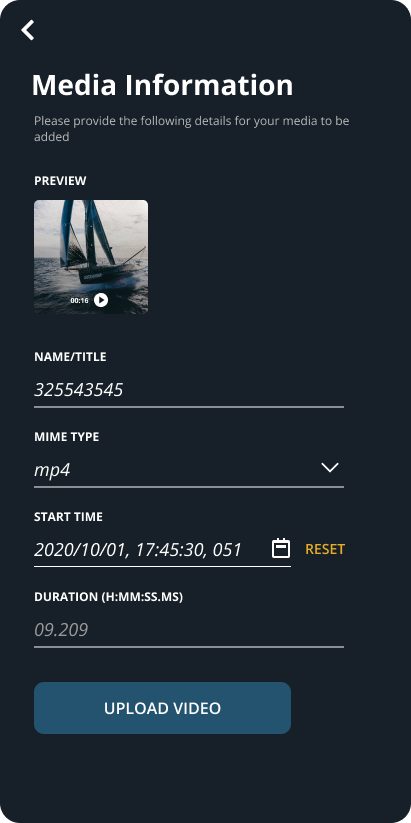 See https://static.sapsailing.com/management-console/audio-video_upload for a full list of designs.
State of development
Most of the code directly related to the management console is found in the package com.sap.sailing.gwt.managementconsole in the project com.sap.sailing.gwt.ui.
Overall UX idea
The app is developed mobile first The "look and feel" of the application should be similar to any mobile app. Instead of the broad range of functionalities that one view in the AdminConsole provides, the ManagementConsole follows a "context-drill-down" approach.
As an example, the user might start on the event overview. When he/she clicks on an event, he/she now is operating within the context of the event. If there is an edit button on the page, the user might expect to alter the metadata of this specific event, add or delete a regatta, etc. If the user klicks on a regatta in the event view, he/she is now withtin the context event->regatta.
This approach yields a seemless mobile experience. too many dialogues and jumps out of context shold be avoided.
Overall design patterns
The Management Console is implemented in a traditional, if somewhat GWT influenced, MVP pattern. GWT does dictate certain patterns, such as Activities, Places and Entrypoints. General design philosophy is mobile first.
Activities
An Activity portrais a process or step in a process within the application.
Any new Activity has to be registered in com.sap.sailing.gwt.managementconsole.app.ManagementConsoleActivityMapper.getActivity(Place)
As an example see com.sap.sailing.gwt.managementconsole.places.event.create. First CreateEventActivity.java implements the Presenter and creates a View. It also has access to the ClientFactory and the EventBus, which both together comprise full access to all cross Activity/Place functionalities of the application.
The Place CreateEventPlace.java is mainly used for the GWT tokenizer to more easily navigate through the application. The @Prefix annotation implicates the path under which the Place may be reached.
Entrypoint
/com.sap.sailing.gwt.ui/src/main/java/com/sap/sailing/gwt/managementconsole/app/ManagementConsoleEntryPoint.java is the respective entrypoint for the management console and has to be started and registered to make it accessible.
at the time of writing it is enabled on the management-console branch and is included in the gwt launch configs.
After launching, the console may be reached under http://127.0.0.1:8888/gwt/ManagementConsole.html.
Services
All services are and should be reachable in com.sap.sailing.gwt.managementconsole.app.ManagementConsoleClientFactory. It is initialized in com.sap.sailing.gwt.managementconsole.app.ManagementConsoleEntryPoint.doOnModuleLoad() and subsequently handed down to any Activity started by the application.
There are two already implemented services:
- Handling Events: /com.sap.sailing.gwt.ui/src/main/java/com/sap/sailing/gwt/managementconsole/services/EventService.java
- Handling Regattas: /com.sap.sailing.gwt.ui/src/main/java/com/sap/sailing/gwt/managementconsole/services/RegattaService.java
Currently these only cover simple CRUD operations.
Styles
gss styles and resources are defined in com.sap.sailing.gwt.managementconsole.resources and should be iterated on centrally, to ensure the overall style is compliant.
EventBus
The EventBus is a GWT construct and uses com.google.gwt.event.shared.GwtEvent to trigger behaviour in the application. All Activities have access to the EventBus. For example events see com.sap.sailing.gwt.managementconsole.events. It is mainly used for async requests in the services, but can also be used to distribute events between different activities.
For a usage example see com.sap.sailing.gwt.managementconsole.places.event.overview.EventOverviewActivity.start(AcceptsOneWidget, EventBus). Here first the activity registers a handler, to react to any events of type EventListResponseEvent. Then whenever needed, the Eventservice.java is instructed to retrieve an EventList, which will fire an Event whenever the service has a response
See com.sap.sailing.gwt.managementconsole.services.EventService.requestList().